Lead Management
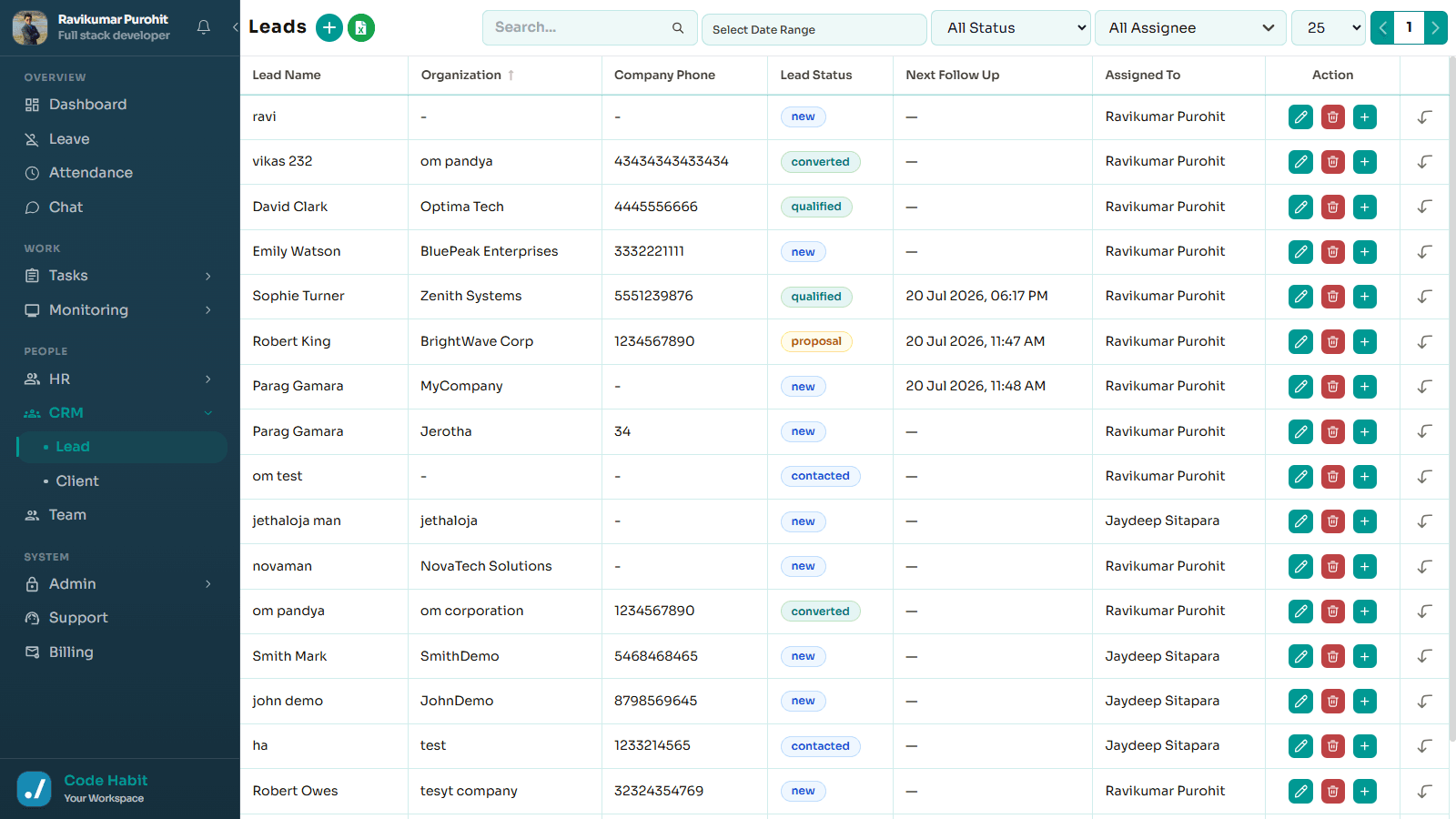
The Lead Management module helps you capture, organize, and manage leads from one place. You can track every interaction, schedule follow-ups, and convert leads into clients when they're ready.
1. Lead Management
Store and manage all your leads in a single dashboard.
Lead Operations
- Add leads manually.
- Import leads using Excel or CSV files.
- View and update lead information.
- Search, edit, or delete lead records.
Lead Details Schema
- Name
- Contact Number
- Email Address
- Lead Source
- Status
app.trackhabit.in/lead
2. Client Management
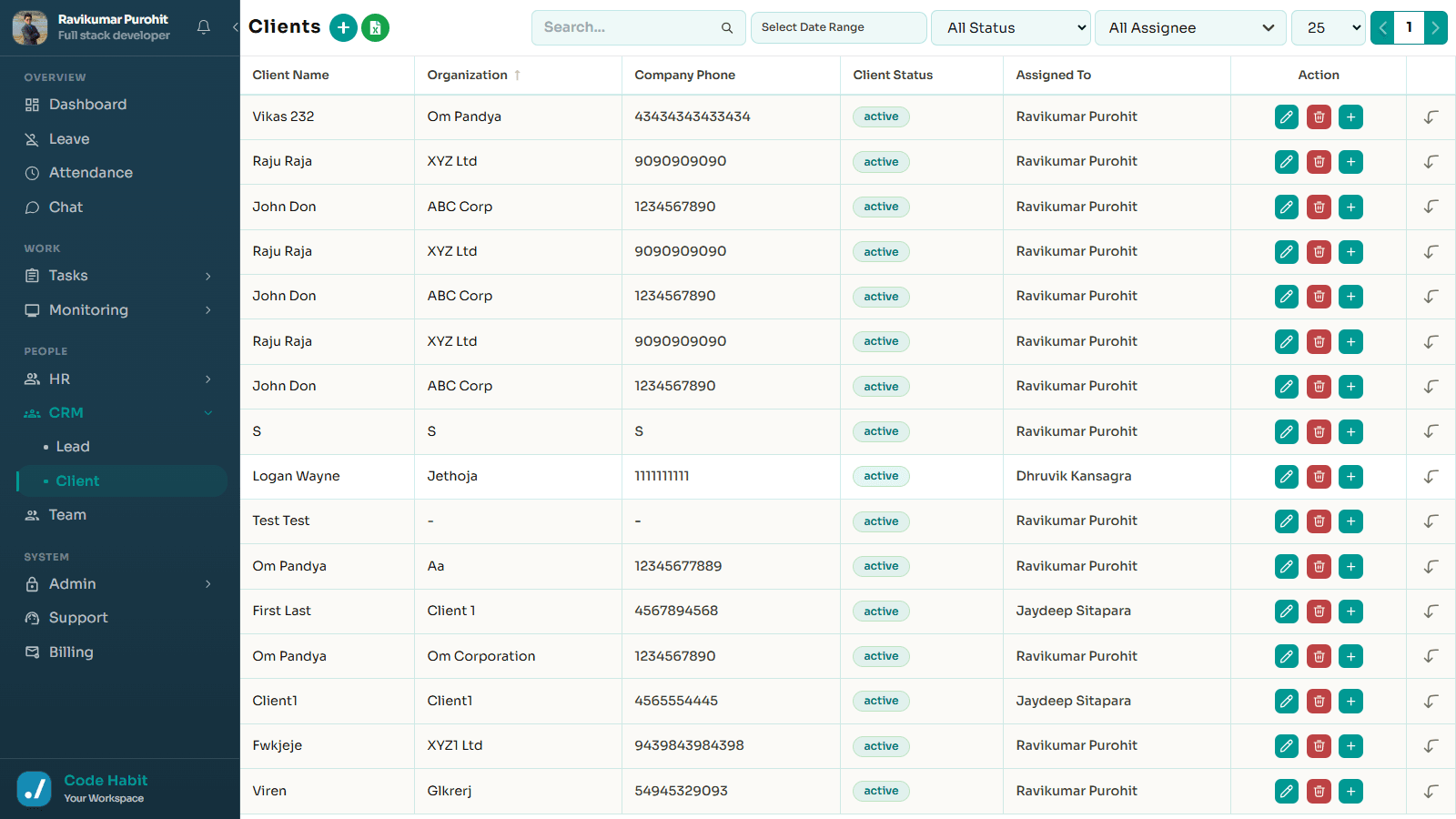
Once a lead becomes a customer, you can convert it into a client with a single click.
The system automatically moves all lead information to the Client module, where you can continue managing client details, update records, and keep everything organized.
app.trackhabit.in/client
3. Activity Tracking
Keep a complete record of every interaction with your leads and clients. This helps your team stay informed and maintain a complete communication history.
Log Interactions
- Follow-up calls
- Meetings
- Notes
- Emails
- Status updates
4. Follow-up Reminders
Never miss an important follow-up.
Reminders Protocols
- Set the next contact date.
- Schedule follow-ups daily, weekly, or monthly.
- Receive reminders to stay connected with your leads.
5. Manage Your Data
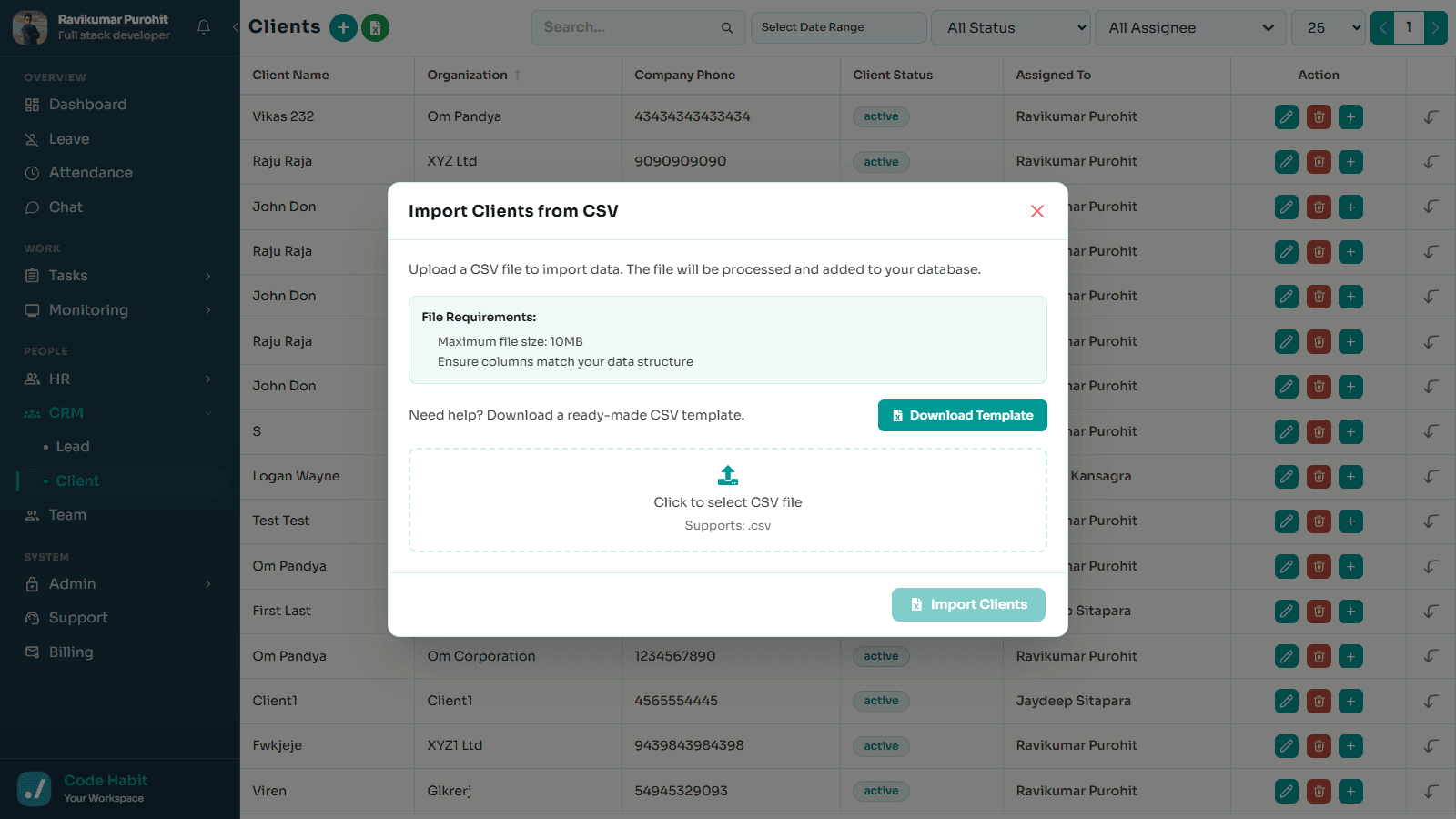
Easily manage both lead and client records.
Data Management Tools
- Add new records.
- Edit existing information.
- Delete records when needed.
- Search and filter data quickly.
app.trackhabit.in/client
Core Features Checklist
Add leads manually or import them using Excel or CSV.
Convert leads into clients with one click.
Track calls, meetings, notes, and follow-up activities.
Schedule reminders and next contact dates.
Manage lead and client records from one place.
Search, edit, update, and delete records easily.